Your Wedding Photos Will Outlive Your Computer: How to Preserve Digital Memories Properly
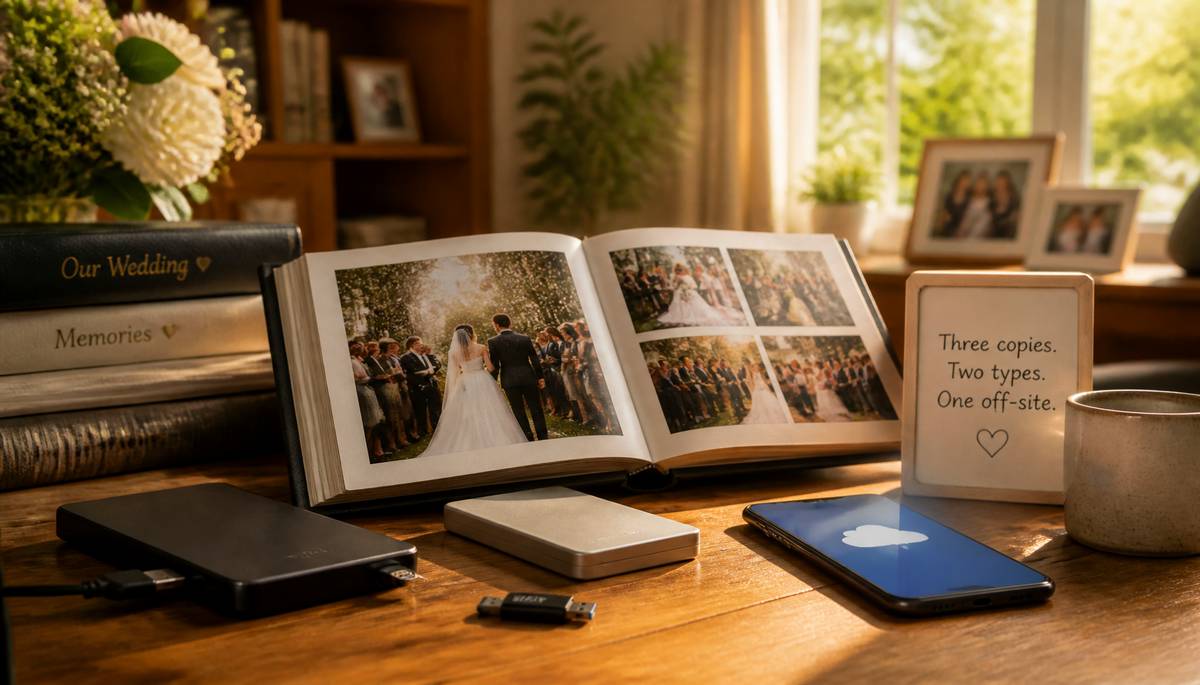 Your wedding photographs could survive three generations of family arguments, several house moves and the mysterious disappearance of your favourite uncle, yet still be defeated by a malfunctioning hard drive. Digital photography has made capturing precious memories easier than ever, but keeping those memories safe for decades requires considerably more thought than most couples realise.
Wedding photographs are particularly vulnerable because they represent an event that cannot be repeated. You can replace a broken television or recover a lost shopping list, but persuading eighty relatives to attend your wedding again because your laptop crashed is unlikely to receive an enthusiastic response.
Why Digital Photographs Are Surprisingly Fragile
Digital images feel permanent because they can be copied endlessly without losing quality. Unfortunately, the devices storing them are anything but permanent.
Hard drives contain mechanical components that eventually wear out. Solid-state drives avoid moving parts but can still fail unexpectedly. USB memory sticks deteriorate, memory cards become corrupted, and computers eventually reach the point where repairing them costs more than replacing them.
Even perfectly functioning storage devices can become inaccessible. Passwords are forgotten, encryption keys disappear, and older connection standards become obsolete. Somewhere in Britain, there is probably a perfectly preserved wedding collection sitting on a computer that requires a cable nobody has manufactured since 2008.
Cloud storage introduces another complication. Although reputable providers maintain sophisticated infrastructure, accounts can become inaccessible through forgotten credentials, subscription problems or changes to company policies. Services can also close, sometimes giving customers limited opportunities to retrieve their files.
The important distinction is between storing photographs and preserving them. Storage is where your pictures happen to live today. Preservation is the deliberate process of ensuring they remain accessible tomorrow.
Follow the Three-Two-One Backup Rule
Professional archivists and technology specialists frequently recommend the three-two-one backup principle. It provides a straightforward framework for protecting important digital files.
Keep three copies of your photographs, stored across two different types of storage, with at least one copy maintained somewhere physically separate from the others.
For example, your main collection might live on your computer, with another copy on an external hard drive and a third stored securely in the cloud. If your computer fails, the external drive provides a replacement. If a fire or burglary destroys both local devices, the remote copy remains available.
However, backups are only useful when they work. Check them periodically by opening a selection of photographs and confirming that the files remain readable. Automated backup software can reduce the administrative burden, but it should never become an excuse to assume everything is functioning correctly.
For additional protection, consider keeping one backup disconnected from your computer when it is not being updated. This reduces exposure to ransomware and accidental deletion.
Organise Your Photographs Before They Become Digital Archaeology
A folder containing 2,847 photographs with names such as IMG_4387.jpg might make perfect sense immediately after your wedding. Twenty years later, locating a particular photograph could resemble searching for a specific grain of rice in a supermarket.
Create clearly labelled folders, retain the original high-resolution files and separate edited photographs from smaller versions intended for social media. Include the wedding date, location and names of important people in a simple accompanying document.
Consider adding descriptive filenames to particularly important photographs. A picture labelled "Wedding_2026_Grandparents.jpg" will be considerably easier for future family members to identify than "DSC_00982.jpg". Avoid relying entirely on facial recognition software, which may not remain available or compatible with future systems.
It is also worth keeping a copy of the original files exactly as your photographer supplied them. Editing software changes over time, and preserving the originals ensures that future generations can work with the best available image quality.
Don't Trust Technology to Stand Still
A perfectly maintained collection can still become difficult to access if its storage format falls out of use. Remember floppy disks? They were once considered a perfectly reasonable place to keep important information, although their current practical value is somewhere between a drinks coaster and a historical curiosity.
Review your storage arrangements every few years. Transfer photographs to newer devices before older equipment becomes unreliable, and favour widely supported formats such as JPEG and TIFF for long-term preservation.
If your collection includes proprietary RAW files, retain those alongside high-quality exported versions. Future software may not support every camera manufacturer's older formats indefinitely.
Why Printed Photographs Still Matter
Physical photographs offer something digital collections cannot: immediate accessibility without electricity, passwords, subscriptions or compatible software.
A professionally produced wedding album can be opened by children, grandchildren and distant relatives without anyone needing to remember which cloud account contains the pictures.
Choose archival-quality photographic paper and printing processes designed to resist fading. Acid-free albums, protective sleeves and appropriate storage conditions can significantly extend the lifespan of printed photographs.
Avoid displaying irreplaceable originals in direct sunlight or storing albums in damp lofts and garages. Heat, humidity and ultraviolet light can gradually damage photographic materials, even when they initially appear unaffected.
Printed collections also encourage a different relationship with photographs. Instead of scrolling through thousands of images, people can sit together, turn pages and share stories about the individuals pictured. Those conversations often preserve details that would otherwise disappear.
Make Sure Someone Else Can Access Your Collection
One frequently overlooked aspect of digital preservation is what happens when the person managing the photographs is no longer available.
If every backup depends on a single person's passwords, devices and technical knowledge, the collection may effectively disappear when that person dies or becomes incapacitated.
Consider documenting where your photographs are stored and providing a trusted family member with secure instructions for accessing them. Password managers with emergency-access features and properly organised digital estate plans can help.
This might seem excessive for wedding photographs, but family archives often become more valuable with age. Images that seem ordinary today may eventually provide the only surviving visual record of particular relatives, homes or relationships.
A Picture of Lasting Happiness
Preserving wedding photographs does not require becoming a professional archivist or maintaining a climate-controlled underground bunker. A sensible combination of reliable backups, occasional technology updates, organised files and carefully produced prints will protect most collections remarkably well.
The real objective is simple: ensuring that the photographs remain enjoyable long after the devices originally used to view them have disappeared.
Your grandchildren probably won't care which camera captured your wedding or how much storage space the photographs occupied. They will care about seeing familiar faces looking unexpectedly young, discovering forgotten relatives and wondering why everyone thought those hairstyles were acceptable.
Give them that opportunity. Your wedding photographs deserve a longer life than your laptop.
|
|

